TL;DR:
- School communication software streamlines multi-channel engagement, reduces admin time, and cuts costs.
- Integration with MIS systems ensures real-time data updates and supports safeguarding compliance.
- Effective use depends on strategic use, clear messaging, and ongoing analytics review.
Countless school administrators know the sinking feeling: an urgent letter goes home on Friday, and by Monday half the parents haven’t seen it. Unread emails pile up, SMS replies get lost, and staff spend hours chasing responses to simple consent forms. This persistent communication breakdown costs UK schools time, money, and trust. Modern school communication software is designed to solve exactly these problems, replacing fragmented, paper-heavy processes with streamlined, multi-channel digital platforms. This guide clarifies what the software actually is, how it works in practice, and what measurable outcomes UK schools are already achieving.
Table of Contents
- Defining school communication software
- Key features and mechanics
- Integration with MIS and safeguarding compliance
- Practical impact and operational insights
- Why software alone isn’t enough: hard truths for UK schools
- Take the next step: effective digital tools for your school
- Frequently asked questions
Key Takeaways
| Point | Details |
|---|---|
| Multi-channel efficiency | Modern school communication tools consolidate email, SMS, app messaging, and voice to ensure reliable reach. |
| MIS integration is vital | Seamless syncing with UK MIS platforms keeps student and contact data up-to-date, improving accuracy and safety. |
| Measure engagement | Track read rates, response percentages, and opt-out numbers to evaluate the true impact of your communication strategy. |
| Compliance matters | Ensure any solution you adopt meets GDPR requirements, enables role-based access, and maintains robust data privacy protocols. |
Defining school communication software
The term gets used loosely, so let’s be precise. School communication software is a digital platform designed to facilitate efficient, multi-channel interactions between schools, teachers, parents, and students, often integrated with school management information systems (MIS). That definition matters because it separates genuine communication platforms from simple email tools or one-way SMS blasters.
The distinction is important. True school communication software operates across several audiences simultaneously:
- Staff: Internal messaging, group announcements, and safeguarding alerts.
- Parents: Push notifications, newsletters, consent forms, and payment requests.
- Students: Assignment reminders, learning updates, and event notifications.
- Governors and trustees: Formal reporting and governance communications.
Each audience receives information through the channel they actually use, rather than the channel that’s most convenient for the school office.
One of the most significant capabilities is integration with MIS platforms. When your communication software connects directly to your school’s data system, contact lists update automatically. A new pupil joins on Tuesday; by Wednesday morning, their parents are already receiving school messages. No manual data entry, no missed contacts, no outdated spreadsheets.
The paper savings alone tell a compelling story. Effective parental engagement strategies increasingly rely on digital delivery, and the evidence supports the shift: one school saved 27,300 paper pages annually after implementing a dedicated platform. That’s not just an environmental win; it’s a meaningful reduction in print costs and administrative labour.
“The switch to digital communication didn’t just save paper. It gave us visibility we never had before. We could see who’d read what and follow up with those who hadn’t.”
The best parent communication tools go further still, offering two-way dialogue rather than one-way broadcasts. This shift from announcement to conversation is what genuinely transforms parent-school relationships.
Key features and mechanics
Once you understand the definition, the feature set becomes much easier to evaluate. Not all platforms offer the same capabilities, and choosing the right one depends on matching features to your school’s specific communication challenges.
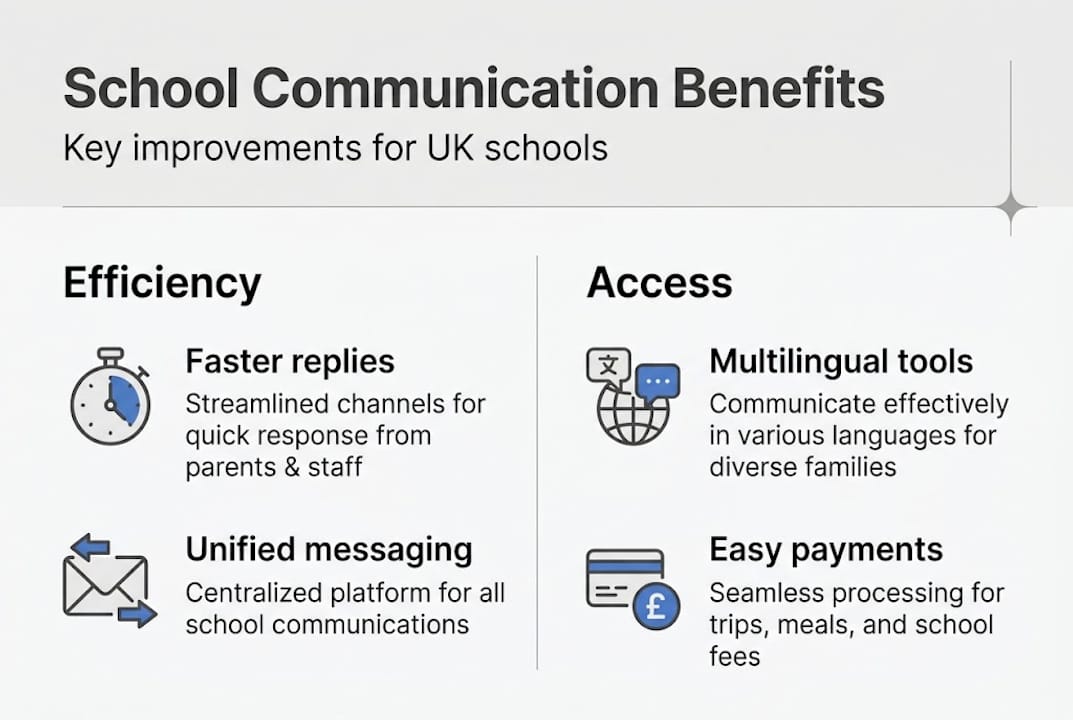
At their core, leading platforms provide unified messaging across channels: email, SMS, app push notifications, and voice calls, alongside two-way chat, mass notifications, multilingual translation supporting 150 or more languages, online forms, payments, event bookings, and parents’ evening scheduling. That breadth is significant. A single platform handling all these functions removes the need for separate tools and reduces the risk of messages slipping between systems.
Here’s how the most commonly used features compare in practice:
| Feature | Traditional methods | Communication software |
|---|---|---|
| Messaging speed | 1 to 2 days (post/email) | Instant |
| Parent response tracking | None | Real-time analytics |
| Multilingual support | Manual translation | Automated (150+ languages) |
| Form completion | Paper returns | Digital, timestamped |
| MIS data sync | Manual update | Automatic |
| Admin time per task | High | Significantly reduced |
Self-service forms and online payments deserve particular attention. When parents can complete a consent form on their phone at 10pm, response rates climb sharply. When the same system connects to your MIS integration, those responses flow directly into your records without staff intervention.

Multilingual translation is especially relevant for UK schools serving diverse communities. Automatic translation removes a barrier that has historically excluded some families from full participation in school life.
The parents’ evening booking feature is a practical example of how software reduces friction for both staff and families. Automated slot allocation, reminder messages, and digital appointment confirmations replace the manual back-and-forth that consumes hours of administrative time each term.
Pro Tip: Before selecting a platform, map out your top five communication frustrations and check each one against the feature list. This ensures you invest in a tool that solves your actual problems rather than impressive features you’ll rarely use.
Integration with MIS and safeguarding compliance
For IT coordinators, this is where the technical detail matters most. A communication platform that doesn’t integrate cleanly with your MIS creates more problems than it solves.
Integration with UK MIS systems such as SIMS, Arbor, and Bromcom via tools like Xporter ensures real-time student data synchronisation for attendance, grades, and contacts. When a parent changes their phone number in the MIS, the communication platform updates automatically. When a child is marked absent, the system can trigger an immediate notification to parents without staff lifting a finger.
Here’s a structured approach to evaluating integration quality:
- Confirm MIS compatibility: Check whether the platform supports your specific MIS version, not just the brand name.
- Assess sync frequency: Real-time sync is preferable to nightly batch updates, particularly for safeguarding purposes.
- Review role-based access controls: Different staff members should access only the data relevant to their role.
- Test the audit trail: Every message sent and received should be logged and retrievable for compliance reviews.
- Verify GDPR documentation: Request a Data Processing Agreement before signing any contract.
Compliance isn’t optional for UK schools. Prioritising GDPR compliance, role-based access, and analytics for engagement tracking are non-negotiable features for responsible deployment.
The safeguarding dimension is worth highlighting separately. Purpose-built school communication software can automate absence alerts, flag unusual communication patterns, and maintain detailed logs that support safeguarding reviews. Your DfE compliance tracker responsibilities extend into digital communications, and having a system that supports audit readiness is a genuine operational advantage.
| Compliance requirement | Manual process | Software-enabled |
|---|---|---|
| GDPR data access logs | Difficult to maintain | Automated |
| Absence notification | Staff-initiated calls | System-triggered alerts |
| Role-based access | Policy-dependent | System-enforced |
| Communication audit trail | Inconsistent | Complete and searchable |
Pro Tip: Schedule a quarterly review of your platform’s access logs. Checking who sent what, and to whom, keeps your data governance sharp and supports Ofsted readiness.
Practical impact and operational insights
The theory is persuasive. The real-world data is more so. UK schools deploying dedicated communication platforms are reporting consistent, measurable improvements across efficiency, engagement, and cost.
The numbers from case studies are striking. Schools using Parent Portal increased form response rates by 60% and saved five hours of administrative time per week. That’s half a working day returned to your team every single week, not through cutting corners, but through automating tasks that previously required manual effort.
The sector-wide picture from a survey of 545 UK schools is equally revealing. The School Communications Report 2026 found that 85% of schools link the quality of their communications directly to their reputation, whilst 90% identify ‘parents don’t read messages’ as their single biggest challenge. Those two findings together reveal a tension worth taking seriously.
Common pitfalls to watch for include:
- System outages: Cloud-based platforms carry dependency risk. Ensure your provider has a clear SLA and fallback communication method.
- Low read rates: Software doesn’t guarantee engagement. Message frequency, relevance, and timing all affect whether parents open notifications.
- Incomplete adoption: If some staff bypass the platform and continue sending emails directly, data and audit integrity suffers.
- Neglected analytics: Most platforms offer detailed engagement dashboards. Schools that don’t review them regularly miss early warning signs of disengagement.
Independent schools and multi-academy trusts tend to outperform local authority primaries on digital engagement metrics, largely because they invest in formal communication strategies rather than treating the software as a set-and-forget tool. Online collaboration tools work best when they’re embedded in a deliberate, reviewed communication plan.
Pro Tip: Assign a named member of staff to review communication analytics each half-term. Tracking open rates, opt-outs, and form completion trends gives you actionable data to refine your approach before small issues become significant ones.
Why software alone isn’t enough: hard truths for UK schools
After 14 years of working with schools across the UK, we’ve observed a recurring pattern. Schools that invest in communication software but neglect the cultural and strategic foundations consistently underperform those that treat technology as one element of a broader approach.
The uncomfortable truth is that software cannot fix unclear messaging, inconsistent communication habits, or a leadership team that hasn’t committed to a shared communication standard. When parents don’t read messages, the instinct is often to switch platforms. The real issue is frequently the quality and relevance of the messages themselves.
Top-performing schools tie their communication tools directly to reputation goals. They perform regular feedback loops with parents and staff, asking what’s working and what’s being ignored. They obsess over message clarity, send fewer but better-targeted communications, and review their platform analytics as rigorously as they review attendance data.
Improving digital engagement is ultimately a leadership challenge as much as a technology one. The schools seeing the strongest results aren’t those with the most features enabled; they’re those with the clearest strategy for using them.
Take the next step: effective digital tools for your school
Choosing the right platform is the first decision; embedding it effectively is the ongoing work. eSchools has supported UK schools and multi-academy trusts for over 14 years, building tools that are purpose-designed for the realities of school communication, compliance, and community engagement.

Whether you’re looking to modernise your school websites, streamline multi-academy trust communication, or give parents a single, reliable point of contact through the eSchools mobile app, our team can help you find a solution matched to your school’s size, strategy, and ambitions. Talk to us about your current challenges and we’ll show you how the right tools, deployed thoughtfully, make a genuine difference.
Frequently asked questions
How does school communication software improve parent engagement?
It provides instant messaging, translation tools, and event reminders that increase response rates and reduce missed communications. Schools using dedicated platforms have increased form response rates by 60% whilst saving five hours of administrative time each week.
Is school communication software safe for student data?
Yes, reputable platforms use encryption and require GDPR-compliant, role-based access to protect all sensitive information. Experts consistently recommend prioritising GDPR compliance and robust analytics as baseline requirements for any UK school deployment.
Can school communication software sync with our current MIS?
Yes, most leading solutions integrate with UK MIS platforms such as SIMS, Arbor, and Bromcom for real-time data synchronisation, ensuring contact lists and attendance records remain accurate without manual updates.
What challenges do UK schools face after adopting digital communication tools?
Common issues include cloud platform outages, low parent message read rates, and the ongoing need for staff training and communication strategy refinement to maintain engagement levels over time.