TL;DR:
- Over half of UK teachers use online collaboration tools daily, but many schools struggle to see meaningful impact.
- Choosing the right platform requires understanding specific school needs, with training and policies essential for effectiveness.
- Successful digital collaboration improves communication, parental engagement, and student outcomes but requires cultural change and strong governance.
More than half of UK teachers now use online collaboration tools daily, yet many schools are still struggling to realise the full benefits. The gap between adoption and genuine impact is wider than most school leaders expect. Cloud-based collaborative technologies have reshaped how teachers communicate, how students engage, and how parents stay informed. But simply installing a platform is not enough. This article explains what online collaboration really means for UK schools, which tools are leading the way, how they affect outcomes, and what risks you need to manage carefully.
Table of Contents
- Online collaboration in UK schools: What does it mean?
- Popular collaboration platforms: Comparing Microsoft Teams, Google Classroom and more
- Online collaboration and its impact on communication, engagement and learning outcomes
- Challenges and risks: Digital divide, teacher burnout, safeguarding and governance
- A fresh perspective: What most school leaders miss about online collaboration
- Discover powerful solutions for your school
- Frequently asked questions
Key Takeaways
| Point | Details |
|---|---|
| Widespread adoption | Over half of UK schools use online collaboration tools to streamline tasks and connect staff, students and families. |
| Platform strengths | Microsoft Teams excels at communication, while Google Classroom simplifies homework and class activity management. |
| Balanced governance | Reducing risks like burnout and gaps requires clear policies, training and practical safeguards. |
| Real impact | Smart use of collaboration platforms correlates with greater parental engagement and improved student attendance. |
Online collaboration in UK schools: What does it mean?
Online collaboration in schools refers to the use of digital platforms and tools that allow teachers, students, and parents to communicate, share resources, and work together outside the physical classroom. It is not simply about sending emails or uploading homework. It covers a much wider range of activities and relationships.
In practice, online collaboration in a UK school context includes:
- Homework setting and submission via platforms such as Google Classroom or Microsoft Teams
- Real-time feedback from teachers to students on written work or projects
- Resource sharing between staff members across departments or even across schools within a multi-academy trust (MAT)
- Parent communication through automated notifications, newsletters, and messaging apps
- Staff collaboration on lesson planning, safeguarding records, and governance documents
The people involved are not just teachers and students. Parents, governors, and support staff all play a role. This broad network is what makes online collaboration so powerful, and also so complex to manage.
Research confirms the scale of this shift. Cloud-based tools like Google Classroom have become central to shaping teachers’ discussions and student agency in UK classrooms. The digital classroom tools available today range from simple messaging apps to fully integrated learning management systems. Understanding the difference matters, because choosing the wrong tool for the wrong purpose wastes time and creates frustration for staff.
It is also worth understanding what online collaboration is not. It is not a replacement for face-to-face teaching. It is not a solution to every communication problem. And it is certainly not something that works well without clear policies, training, and ongoing support. The virtual learning environments guide for UK schools offers a useful starting point for understanding how these environments fit into your broader digital strategy.
The COVID-19 pandemic accelerated adoption significantly, pushing schools to implement tools rapidly and often without adequate preparation. Now, in 2026, the challenge is not adoption but quality. The question is no longer whether to use online collaboration tools, but how to use them well.
Popular collaboration platforms: Comparing Microsoft Teams, Google Classroom and more
With so many platforms available, choosing the right one for your school can feel overwhelming. The good news is that survey data from UK teachers gives us a clear picture of what is actually being used and why.
According to a survey of 700 UK teachers, Microsoft Teams is the most widely used platform for communication, adopted by 55% of respondents. Google Classroom is preferred for setting homework and in-class work, used by 38% of teachers. Interestingly, Google Classroom scores slightly higher in perceived utility, with a rating of 3.27 compared to Teams’ 3.12 out of 5.
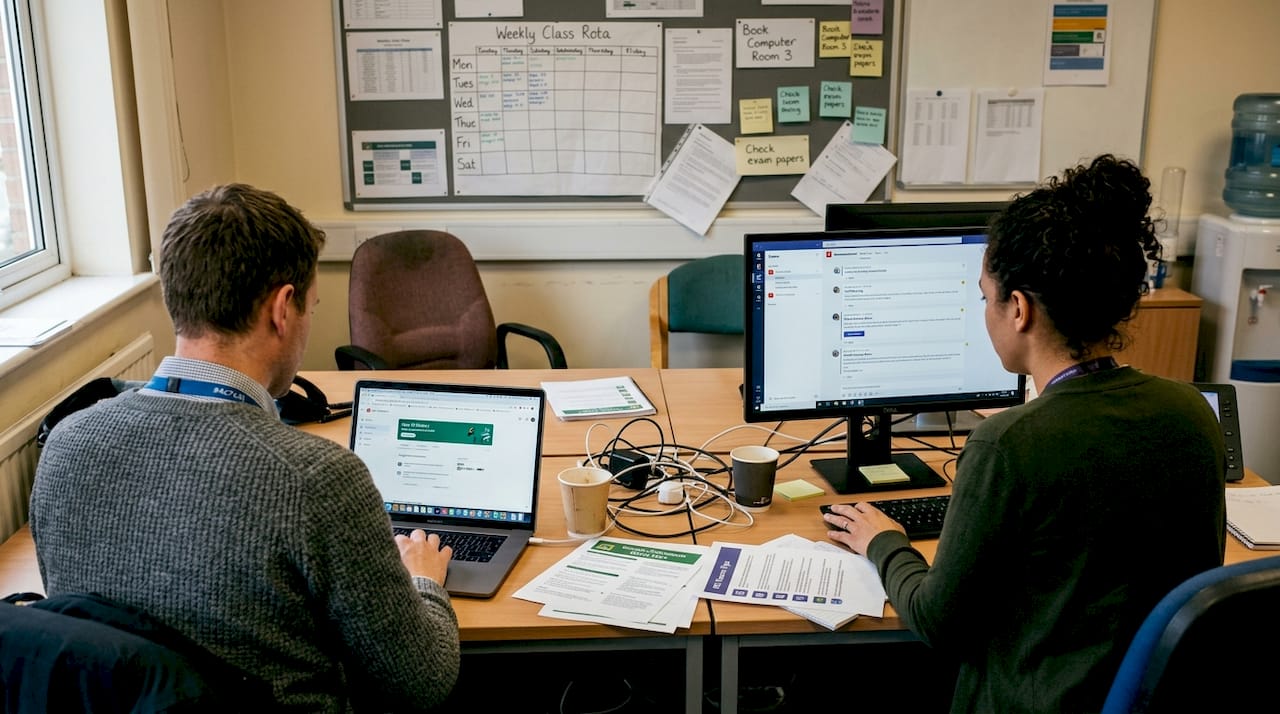
Here is a side-by-side comparison of the two leading platforms:
| Feature | Microsoft Teams | Google Classroom |
|---|---|---|
| Primary use | Staff and student communication | Homework and in-class tasks |
| Utility rating (UK teachers) | 3.12 / 5 | 3.27 / 5 |
| Integration | Microsoft 365 suite | Google Workspace |
| Best suited for | Secondary and larger schools | Primary and smaller schools |
| Parent communication | Limited natively | Limited natively |
| Cost | Free via DfE licensing | Free via Google for Education |
Both platforms have genuine strengths. Teams integrates tightly with the Microsoft 365 environment that many secondary schools already use, making it a natural fit for staff collaboration and video meetings. Google Classroom tends to feel more intuitive for younger students and teachers who prefer a simpler interface.
However, neither platform covers every need. Neither offers robust parent communication out of the box, and both require significant staff training to be used effectively. This is where a hybrid approach, combining a core platform with specialist tools for parent engagement or online assessment, can make a real difference.
Pro Tip: Do not assume one platform will meet all your school’s collaboration needs. Map your specific communication and learning goals first, then choose tools that fit those goals rather than adopting a platform because it is popular.
For schools focused on improving online learning, the platform decision is just the starting point. Training, policy, and ongoing review matter just as much as the technology itself.
Online collaboration and its impact on communication, engagement and learning outcomes
The real test of any collaboration tool is whether it makes a measurable difference to your school. Evidence suggests that when implemented well, these tools do deliver real benefits across communication, parental engagement, and student outcomes.
Effective collaboration platforms improve school communication in several concrete ways:
- Automated updates reduce the administrative burden on office staff and ensure parents receive timely, accurate information
- Centralised messaging reduces the risk of important information being missed across different channels
- Staff resource sharing saves time on lesson planning and reduces duplication of effort across departments
- Real-time feedback loops between teachers and students support faster progress and more personalised learning
Parental engagement is one of the most significant areas of impact. When parents receive clear, consistent communication through a parental engagement app, they are more likely to support learning at home and respond promptly to school communications. This is not a minor benefit. Strong parental engagement is directly linked to better student outcomes.
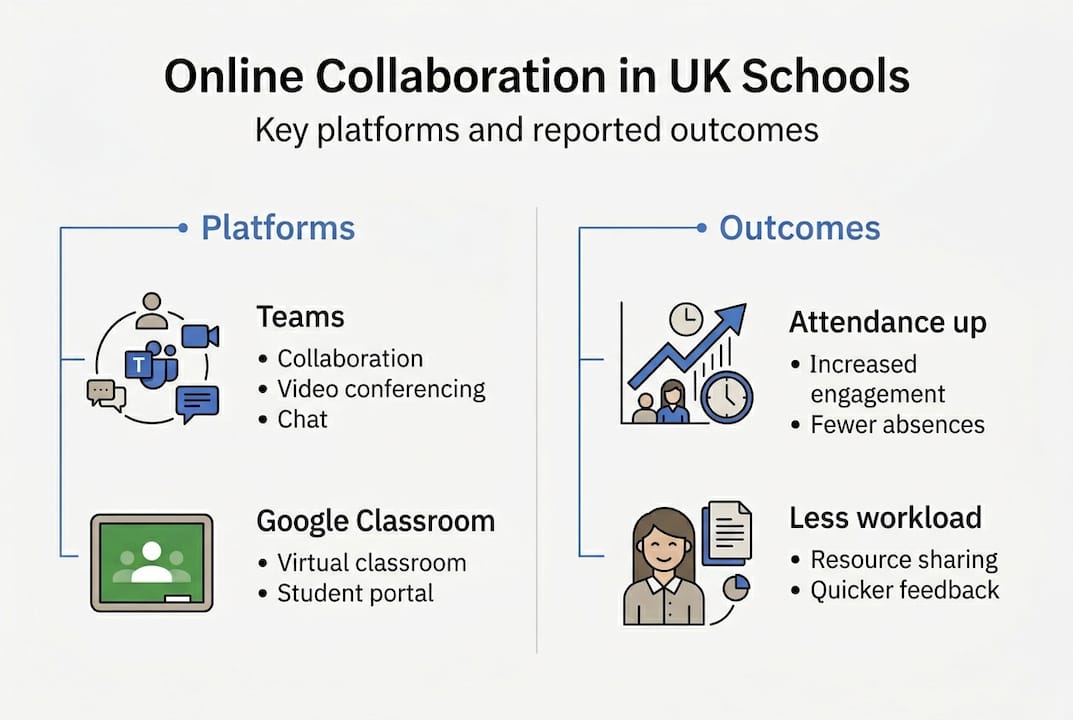
“Schools with the highest levels of digital engagement consistently report improved attendance rates and greater student participation in learning activities.” Official survey data from the School and College Voice Omnibus Surveys supports this link between engagement and attendance gains.
Here is a summary of key outcome data from the 2024 to 2025 surveys:
| Outcome area | Impact reported |
|---|---|
| Attendance | Improved in high-engagement schools |
| Workload | Reduced for most school leaders using digital tools |
| Parental communication | Faster and more consistent |
| Student participation | Increased with structured online tasks |
The online assessment benefits for students are also well documented. Digital assessment tools allow teachers to identify gaps in understanding more quickly and adjust their teaching accordingly. This kind of responsive practice is difficult to achieve without the data that online platforms provide.
Challenges and risks: Digital divide, teacher burnout, safeguarding and governance
It would be misleading to present online collaboration as a straightforward win. There are significant challenges that school leaders must address proactively. Ignoring them does not make them go away.
Here are the four most pressing risks, in order of urgency:
-
Digital divide. Not all students have equal access to devices or reliable internet at home. Socio-economic factors mean that online collaboration can inadvertently widen the gap between advantaged and disadvantaged pupils. Schools must have a clear plan for supporting families who lack access.
-
Teacher burnout. Always-on platforms create an expectation that teachers are available outside school hours. This is unsustainable. The teacher burnout study found that always-on access significantly contributes to staff stress and attrition.
-
Safeguarding. Non-approved tools pose real safety risks. If staff or students use platforms that have not been vetted by your IT team, you may be exposing children to unmonitored communication channels. This is a statutory safeguarding concern.
-
Governance and compliance. Hybrid and cloud-based models require strong governance frameworks. Data protection, GDPR compliance, and DfE requirements all apply. A clear DfE compliance guide is essential reading for any school leader managing digital tools.
“Non-approved tools pose safety risks; hybrid models need strong governance to protect students and staff alike.”
Pro Tip: Create a clear acceptable use policy for all digital platforms, set explicit boundaries around out-of-hours communication, and review your governance framework annually. These steps protect your staff, your students, and your school.
For practical guidance on managing these risks, the edtech support guide and top edtech solutions resources offer actionable frameworks tailored to UK schools.
A fresh perspective: What most school leaders miss about online collaboration
Here is an uncomfortable truth: most schools treat online collaboration as a technology problem when it is actually a people problem. The platform you choose matters far less than the culture you build around it.
We see this repeatedly when supporting schools through digital change. A school can have the best platform available and still see poor engagement, frustrated staff, and confused parents. Why? Because nobody has articulated a clear vision for why the tool exists and what it is expected to achieve.
The ‘set and forget’ mentality is the single biggest mistake school leaders make. Deploying a platform without ongoing training, regular review, and genuine leadership buy-in is a recipe for low adoption and wasted investment.
Balancing innovation with inclusivity is equally important. Every new tool you introduce must account for the full range of your school community, including families with limited digital literacy, staff with varying levels of confidence, and students who may not have reliable home access. The virtual learning best practices that work are those built around people, not platforms.
Technology enables collaboration. It does not create it.
Discover powerful solutions for your school
If you are ready to move beyond basic adoption and realise genuine benefits from online collaboration, eSchools offers proven solutions built specifically for UK schools. Our platforms are designed to be simple for staff, engaging for students, and reassuring for parents.

From bespoke school website solutions that keep your community informed, to a dedicated parent communication app that streamlines every message and notification, eSchools makes digital collaboration straightforward. Explore our school collaboration projects to see how schools like yours are already benefiting. Get in touch today to book a demo and discover how we can support your school’s digital journey.
Frequently asked questions
Which online collaboration platform is best for UK primary schools?
Both Microsoft Teams and Google Classroom are widely used, but Google Classroom scores higher in perceived utility at 3.27 versus 3.12, making it a strong choice for smaller and primary schools seeking a simpler interface.
How can schools overcome the digital divide?
Schools should provide device loan schemes, support for disadvantaged families, and prioritise platforms compatible with smartphones. As the ethnographic study highlights, digital divide inequalities require strong governance and proactive planning to address effectively.
Does online collaboration impact student attendance?
Yes. Attendance gains are consistently reported in schools with strong digital engagement, alongside higher levels of student participation in learning activities.
How can school leaders prevent teacher burnout from online platforms?
Set clear boundaries around out-of-hours communication, establish reasonable expectations in your acceptable use policy, and review workload regularly. The always-on access risks identified in research make strong governance a non-negotiable priority for school leaders.