
TL;DR:
- Online learning is now a core part of UK school operations, increasing cybersecurity responsibilities.
- Schools must implement fundamental security measures like encryption, firewalls, regular updates, and multi-factor authentication.
- A security culture involving ongoing staff training and regular compliance reviews is essential for protecting pupils’ data and ensuring UK GDPR adherence.
Online learning is no longer a contingency plan for UK schools. It is a core part of daily operations, and that shift has brought serious security responsibilities with it. Cyber threats targeting education have risen sharply, and regulatory expectations under UK GDPR now require schools to demonstrate appropriate technical measures at every level. The ICO requires encryption for student data both in transit and at rest, making this a legal obligation, not just good practice. This guide gives school administrators and IT coordinators a clear, actionable path to securing their online learning environments without unnecessary complexity.
Table of Contents
- Assessing risks in online learning environments
- Core security measures every school should implement
- Safeguarding student data and compliance with UK GDPR
- Choosing secure edtech platforms and cloud solutions
- Ongoing monitoring, incident response, and verification
- Why a secure online learning environment is more than compliance
- Next steps: Practical solutions for secure online learning
- Frequently asked questions
Key Takeaways
| Point | Details |
|---|---|
| Baseline security essentials | Firewalls, secure settings, regular updates, and malware protection are non-negotiable for school online learning. |
| Data encryption standards | Student data must be encrypted both in transit and at rest to comply with UK GDPR. |
| Privacy by design | Prioritise online platforms with child-centric privacy defaults and transparent processing. |
| Shared responsibility with cloud | Always include clear security responsibilities and contractual obligations with cloud providers. |
| Continuous verification | Maintaining security requires ongoing audits, training updates, and annual reviews against NCSC standards. |
Assessing risks in online learning environments
Before you can protect your school’s digital environment, you need to understand exactly where it is vulnerable. Many schools have expanded their use of online platforms rapidly, often without a corresponding review of their security posture. That gap creates real exposure.
The most common risks facing UK schools in online learning settings include:
- Unauthorised access to learning platforms through weak or shared passwords
- Malware and ransomware delivered via phishing emails targeting staff and pupils
- Insecure cloud platforms where data storage and access controls are poorly configured
- Weak authentication that relies solely on usernames and passwords without additional verification
- Unpatched software left running on school devices or servers, creating known entry points for attackers
- Shadow IT, where staff or pupils use unapproved apps that have not been assessed for security
Cloud services add a particular layer of complexity. When your school uses a Software as a Service (SaaS) platform for online learning, you are operating within a shared responsibility model. The provider handles some security controls, but your school remains accountable for others, including access management and data handling. This is not always clearly communicated, and it is a common source of compliance gaps.
To help you map your current risk landscape, consider this overview of threat categories and their potential impact:
| Threat type | Likelihood | Potential impact | Priority |
|---|---|---|---|
| Phishing and social engineering | High | Data breach, account compromise | Critical |
| Unpatched software vulnerabilities | High | Malware, ransomware | Critical |
| Weak or reused passwords | Medium | Unauthorised access | High |
| Misconfigured cloud services | Medium | Data exposure | High |
| Insecure third-party integrations | Medium | Compliance failure | High |
| Physical device theft | Low | Data loss | Medium |
“Schools must treat their online learning environment with the same rigour as their physical premises. A door left unlocked in a digital corridor is just as dangerous as one left open in a school building.”
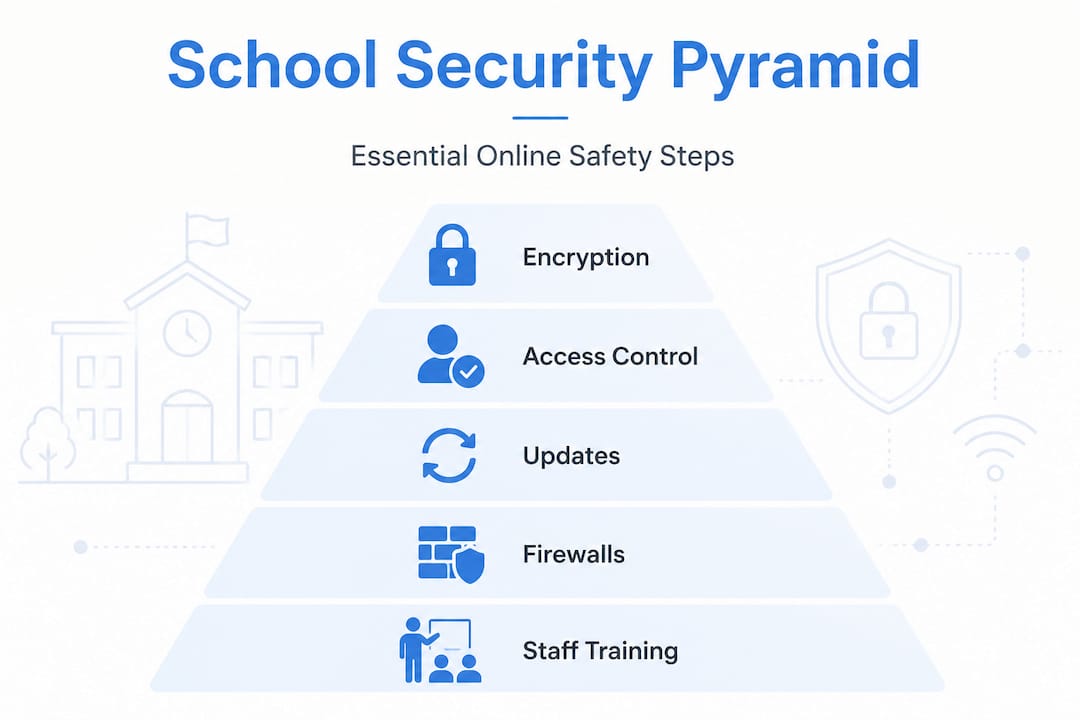
The NCSC Cyber Essentials scheme sets out five baseline controls: firewalls, secure configuration, software updates, access control including multi-factor authentication (MFA), and malware protection. Critically, these requirements apply to cloud services including SaaS, Infrastructure as a Service (IaaS), and Platform as a Service (PaaS). Improving your online learning experience begins with getting these fundamentals right. You should also review which digital classroom tools your school currently uses and whether they meet these baseline standards.
Core security measures every school should implement
Once you have a clear picture of your risks, the next step is putting the right controls in place. These are not optional extras. They are the foundation of a defensible, compliant online learning environment.
Follow these steps to establish baseline security across your school’s platforms:
- Deploy and configure firewalls on all school networks and ensure cloud-based services have equivalent boundary controls in place.
- Apply secure configurations to every device and platform from the outset. Default settings are rarely secure enough for an educational environment handling pupil data.
- Enforce a regular patching schedule so that software updates are applied promptly. The NCSC recommends applying high-severity patches within 14 days of release.
- Implement multi-factor authentication for all staff accounts and, where appropriate, for older pupils accessing sensitive learning platforms.
- Deploy malware protection across all school-managed devices and ensure it is updated automatically.
- Conduct regular access reviews to remove permissions for former staff, pupils who have left, or accounts that are no longer in active use.
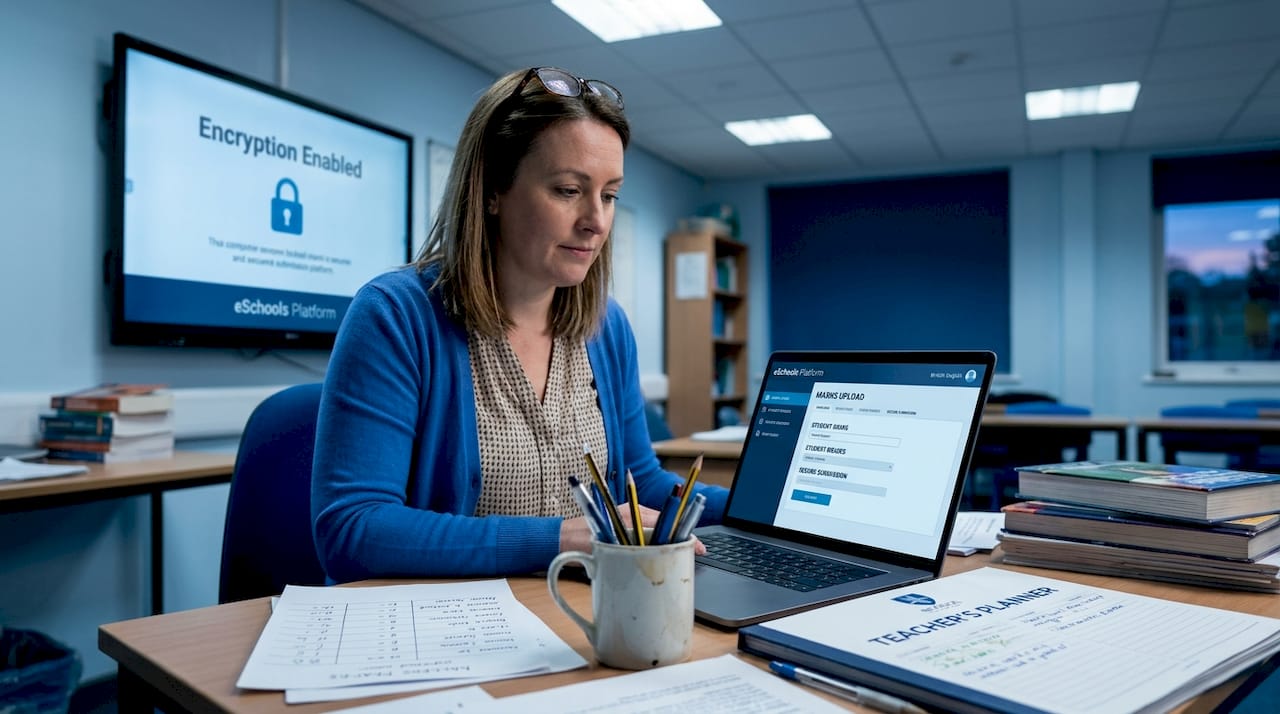
On the question of encryption, the ICO’s guidance is clear: student data must be encrypted both during transmission (in transit) and when stored (at rest). This applies to everything from pupil records held on your school’s learning management system to assessment results stored in cloud databases. Failing to encrypt data is one of the most frequently cited causes of data breach notifications to the ICO.
When comparing platform options, it helps to assess security features side by side:
| Security feature | Basic platforms | Compliant platforms |
|---|---|---|
| Data encryption (in transit) | Sometimes | Always |
| Data encryption (at rest) | Rarely | Always |
| MFA support | Optional | Mandatory |
| GDPR compliance documentation | Limited | Comprehensive |
| Regular security audits | Infrequent | Scheduled |
| Transparent data processing | Unclear | Clearly documented |
Understanding the benefits of school communication software also means understanding the security standards those tools must meet before you adopt them. Equally, any guide to integrating educational technology in UK schools should place security assessment at the start of the process, not as an afterthought.
Pro Tip: When evaluating any new platform, look for privacy by default as a built-in feature rather than a setting that requires manual activation. Platforms that default to the highest privacy settings reduce the risk of accidental data exposure significantly.
Safeguarding student data and compliance with UK GDPR
UK GDPR places specific and demanding obligations on schools when it comes to handling pupil data. Understanding the legal basis for processing and sharing that data is essential, particularly in online learning contexts where data flows across multiple systems.
Schools typically rely on two legal bases for processing pupil data:
- Public task: Processing is necessary to carry out your school’s official functions, including delivering education and safeguarding pupils.
- Legitimate interests: Processing serves a genuine purpose that is proportionate and does not override pupils’ rights.
When it comes to data sharing for safeguarding purposes, the ICO has made clear that formal data sharing arrangements are preferred but should not act as a barrier in genuine emergencies. In practice, this means your school should have formal agreements in place with key partners, such as local authorities and health services, but staff should understand that a lack of formal paperwork does not prevent them from sharing information to protect a child.
The ICO’s guidance on children and UK GDPR sets out several key principles your school must follow:
- Privacy by design: Build data protection into your systems and processes from the start, not as a retrofit.
- High privacy defaults: Set all systems to the most protective settings as standard.
- Age-appropriate transparency: Communicate with pupils about how their data is used in language they can genuinely understand.
- Data Protection Impact Assessments (DPIAs): Carry out a formal DPIA before introducing any processing activity that carries a high risk, such as profiling pupil behaviour or performance through automated systems.
Keeping clear records of your data flows is equally important. You should be able to map exactly what data your school holds, where it is stored, who can access it, and how long it is retained. This documentation is not just good practice. It is what an ICO investigation or Ofsted inspection may request.
The use of online assessment tools and virtual learning environments both involve processing pupil data at scale. Each of these systems must be assessed against your GDPR obligations before deployment.
Pro Tip: Involve your Data Protection Officer, safeguarding lead, and a representative from your teaching staff in every DPIA. Different perspectives will surface risks that a purely technical review would miss.
Choosing secure edtech platforms and cloud solutions
Selecting the right platforms is one of the most consequential decisions your school will make. A poorly chosen tool can create compliance gaps that take months to resolve and put pupil data at risk in the process.
When evaluating edtech vendors, follow these steps:
- Request contractual commitments on security. Any cloud provider you use must document their security responsibilities clearly. Under the Cyber Essentials shared responsibility model, cloud services cannot be excluded from scope, meaning your school is still accountable for ensuring the platforms you use meet the required standards.
- Check for recognised security certifications. Look for ISO 27001 certification, Cyber Essentials Plus accreditation, or equivalent evidence that the vendor takes security seriously.
- Assess transparency. A trustworthy vendor will provide clear documentation on where data is stored, how it is processed, and how breaches are reported.
- Review their update and patching history. Ask vendors how frequently they release security updates and how they communicate these to customers.
- Evaluate their data residency commitments. Pupil data should ideally remain within the UK or EEA. Confirm this explicitly in your contract.
Here is a comparison of what to look for across different platform types:
| Evaluation criterion | What to ask | Red flag |
|---|---|---|
| Data encryption | Is data encrypted in transit and at rest? | No clear answer |
| Security certifications | Do you hold Cyber Essentials Plus or ISO 27001? | No certification |
| Data residency | Where is pupil data stored? | Outside UK or EEA |
| Breach notification | How and when will you notify us of a breach? | Vague or absent policy |
| Contractual security obligations | Are your security responsibilities documented? | Verbal assurances only |
Exploring online collaboration tools that are purpose-built for education gives you a significant advantage. Platforms designed with schools in mind are more likely to have built-in compliance features and age-appropriate safeguards. You can learn more about how eSchools approaches secure, education-focused technology.
Pro Tip: Set a formal review period for every platform you use, at least annually. Technology changes quickly, and a platform that was compliant last year may not meet current standards today.
Ongoing monitoring, incident response, and verification
Implementing security measures is not a one-time task. Your school’s online environment evolves constantly, and your oversight must keep pace.
Effective ongoing monitoring includes:
- Scheduled security audits, conducted at least annually, covering all platforms, devices, and access controls
- Log reviews, where access logs for key systems are checked regularly for unusual activity or unauthorised access attempts
- Automated alerts, configured to notify your IT team immediately when suspicious behaviour is detected
- User access reviews, carried out at least termly to ensure only current staff and pupils have active accounts
- Vendor security updates, tracked and applied promptly in line with your patching schedule
When an incident does occur, your response matters as much as your prevention. Every school should have a documented incident response procedure that covers:
- How to identify and contain a breach
- Who is responsible for internal communication and decision-making
- When and how to notify the ICO (within 72 hours for notifiable breaches under UK GDPR)
- How to communicate with affected pupils and parents
Verification is the final piece. The NCSC Cyber Essentials requirements should be reviewed annually, and your school’s certification renewed to demonstrate ongoing compliance. Staff training must be updated whenever there is a significant change in technology or policy.
Your school website compliance obligations are also part of this picture. Ensuring your public-facing digital presence meets DfE requirements is a related but distinct compliance responsibility that should sit alongside your internal security reviews.
“Security is not a destination, but a journey school communities must make together. Regular review, honest assessment, and shared responsibility are what keep pupils safe online.”
Why a secure online learning environment is more than compliance
Here is the uncomfortable truth that most security guides avoid: treating online security as a compliance exercise almost always fails. Schools that approach it as a checklist to satisfy an inspector will find that their defences are brittle, their staff are disengaged, and their pupils are exposed in ways that no policy document can prevent.
Real security is a culture. It is built through consistent staff training, honest conversations with pupils about online risks, and a genuine commitment from leadership to make it a priority. It cannot be delegated entirely to an IT coordinator and forgotten until the next audit.
We have seen schools invest significantly in technical controls while neglecting the human element entirely. A perfectly configured firewall offers limited protection when a member of staff clicks a phishing link because they were never trained to recognise one. Equally, the most privacy-aware data policy is undermined when pupils share login credentials because no one explained why it matters.
The most effective schools treat every technology change as a security event. When a new platform is adopted, when a policy changes, when a member of staff leaves, security implications are considered as a matter of course. Reviewing your effective digital classroom tools with security in mind at each stage of adoption is a practical way to embed this habit.
Security strategy must be a living document. It should be reviewed and adapted after any significant change in your technology environment, your staffing, or the regulatory landscape. Schools that do this consistently are the ones that avoid the most serious incidents.
Next steps: Practical solutions for secure online learning
Securing your school’s online learning environment is a significant undertaking, but you do not have to navigate it alone. The right technology partner makes a measurable difference, providing platforms that are built for compliance, backed by clear contractual commitments, and designed with the needs of UK schools at their centre.

eSchools offers a secure learning platform designed specifically for UK schools, with data protection, encryption, and age-appropriate safeguards built in from the ground up. For multi-academy trusts managing security across multiple sites, our MAT compliance tools provide centralised oversight and streamlined governance. If you are still building your understanding of what a secure environment looks like in practice, our detailed virtual environments guide is an excellent starting point. Get in touch with our team to find out how we can support your school’s security journey.
Frequently asked questions
What is the minimum security standard for school online learning platforms?
Schools must have firewalls, secure configurations, regular updates, access controls including MFA, and malware protection as set out by the NCSC Cyber Essentials scheme. These requirements apply to all cloud services used for learning.
How should pupil data be encrypted in school systems?
Encryption must protect student data both during transmission and when stored at rest, in line with ICO guidance and the UK GDPR security principle requiring appropriate technical measures.
What if pupils use third-party cloud apps for learning?
Schools must ensure that contracts with third-party providers clearly address the shared responsibility model and that all platforms meet the same security and compliance standards as school-managed systems.
Is formal consent always required for data sharing in safeguarding emergencies?
Formal data sharing arrangements are preferred but are not a barrier in emergencies; safeguarding responsibilities can override consent requirements when a child’s safety is at immediate risk.
How can schools verify ongoing compliance with UK GDPR and NCSC standards?
Schools should conduct regular audits, pursue annual Cyber Essentials certification renewals, and update staff training whenever there is a significant change in technology, policy, or the regulatory environment.
Recommended
- How to improve online learning experience in UK schools
- Online collaboration in UK schools: 55% of teachers use it
- Virtual learning environments: a practical guide for UK schools
- Types of digital classroom tools for effective UK schools
- Personalized Learning with AI: Create Custom Online Learning Paths and Tailored Courses for Students | Coursefy.ai Blog