
Many school leaders assume a virtual learning environment is simply a digital version of the classroom, a place to upload worksheets and share links. That assumption undersells what a well-implemented VLE can do. A VLE is a secure, web-based platform that acts as a central hub for content delivery, course management, communication, assessments, and collaboration. For UK schools navigating increasing digital expectations from the DfE and Ofsted, understanding the full scope of a VLE is not optional. It is essential.
Table of Contents
- Defining a virtual learning environment in UK education
- Popular virtual learning environment platforms for UK schools
- Best practices for implementing a virtual learning environment
- Measuring impact: Engagement, outcomes, and benchmarks
- Challenges, equity, and advanced considerations
- Next steps: Connecting virtual learning with digital school solutions
- Frequently asked questions
Key Takeaways
| Point | Details |
|---|---|
| VLEs empower learning | Virtual learning environments deliver robust, collaborative, and accessible digital education when implemented properly. |
| Platform selection matters | Choosing the right VLE involves matching school needs with platform strengths, considering factors like cost, size, and support. |
| Implementation is strategic | Successful rollouts depend on planning, training, pilot testing, and gradual adoption. |
| Measure impact and equity | Use benchmarks and analytics to track outcomes and close digital gaps. |
| Compliance drives inclusivity | Meeting DfE and accessibility standards ensures fair access for all students and staff. |
Defining a virtual learning environment in UK education
A VLE is far more than a content repository. Think of it as a living, interactive space where teachers set tasks, students submit work, and everyone communicates in one secure location. According to the Cambridge Dictionary, a VLE provides course management, communication, assessment, and collaboration for UK schools, making it a genuinely multi-functional platform.
The core features you should expect from any credible VLE include:
- Content delivery: Structured lessons, videos, reading materials, and resources accessible at any time
- Course management: Timetabling, assignment setting, and progress tracking in one place
- Communication tools: Messaging, forums, and announcements between staff and students
- Assessment and feedback: Online quizzes, submission portals, and automated marking
- Collaboration spaces: Group projects, shared documents, and peer review tools
It is also worth distinguishing a VLE from a Learning Management System (LMS). An LMS focuses primarily on administration and tracking, whereas a VLE is designed around the learner’s experience. The VLE puts interaction and engagement at the centre, which is why it aligns so well with DfE digital standards and WCAG 2.2 accessibility requirements.
“A VLE is not just a tool for remote learning. It is a framework for rethinking how teaching and learning happen every day, whether students are in school or at home.”
For a broader view of how VLEs fit alongside other digital classroom tools in UK schools, it helps to understand the wider edtech landscape before committing to a platform.

Popular virtual learning environment platforms for UK schools
Choosing the right platform is one of the most consequential decisions you will make. The UK VLE market in 2025 shows Moodle and Blackboard dominating among larger providers, while Canvas is growing rapidly and Google Classroom remains the go-to for schools prioritising simplicity and ease of use.
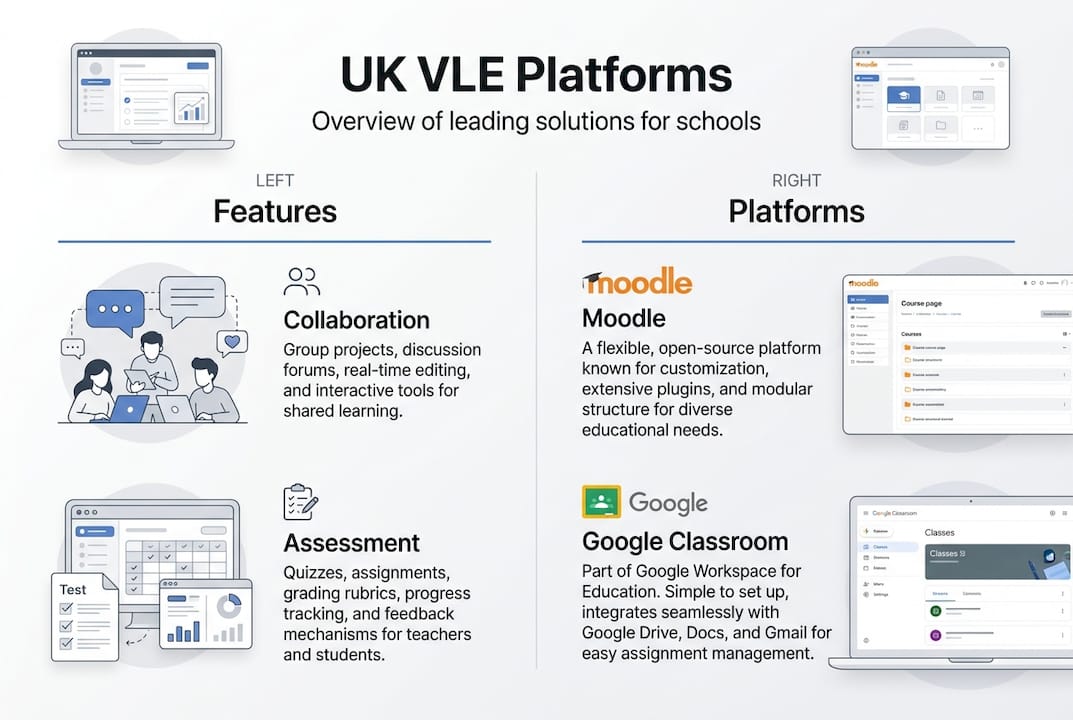
Here is a comparison of the four most widely used platforms:
| Platform | Best for | Cost model | Technical demand |
|---|---|---|---|
| Moodle | Flexible, customisable setups | Free (open-source) | High |
| Google Classroom | Ease of use, quick adoption | Free or low cost | Low |
| Canvas | Modern interface, growing schools | Subscription | Medium |
| Blackboard | Large institutions, complex needs | Subscription | High |
Key factors to weigh when selecting a platform:
- School size: Larger schools and multi academy trusts often need more robust, scalable solutions
- Budget: Open-source options like Moodle reduce licensing costs but require IT resource
- Technical support: If your IT team is small, a simpler platform reduces risk
- Integration: Consider how the VLE connects with your existing school websites and communication tools
- Staff confidence: A platform your teachers will actually use is always the right platform
There is no universally correct answer. A small primary school with limited IT support will have very different needs from a multi-academy trust managing ten sites. The key is matching the platform to your context, not chasing the most feature-rich option.
Best practices for implementing a virtual learning environment
Even the best platform will underperform without a structured rollout. Implementation best practices consistently point to the same principles: involve the right people early, train thoroughly, and phase the rollout over three to six months.
Here is a proven step-by-step approach:
- Form a cross-functional team. Include teachers, IT staff, senior leaders, and ideally a student representative. Diverse input prevents blind spots.
- Audit your current tools. Understand what staff already use and what gaps the VLE needs to fill.
- Select your platform. Use the criteria above and involve end users in the decision.
- Run a pilot scheme. Choose one year group or department to test the platform in real conditions before a whole-school launch.
- Deliver whole-school training. Do not assume staff will self-teach. Structured, role-specific training drives adoption.
- Set clear guidelines. Define how the VLE will be used: what goes on it, who manages it, and how students access it.
- Roll out incrementally. Expand from your pilot group in phases, gathering feedback at each stage.
- Evaluate against benchmarks. Use Jisc and DfE digital planning guidance to measure progress objectively.
Pro Tip: Do not wait for perfection before launching. A working VLE with 70% of planned features is more valuable than a delayed launch waiting for 100%. Momentum matters more than completeness in the early stages.
For schools focused on improving online learning outcomes, the pilot phase is particularly valuable. It surfaces practical issues, from login problems to content gaps, before they affect the whole school.
Measuring impact: Engagement, outcomes, and benchmarks
The evidence for VLE effectiveness is strong. Jisc’s 2024/25 survey found that 86% of higher education students rated their digital learning environment above average, with 84% reporting a positive course experience and 77% noting good technical support. These figures reflect what well-implemented VLEs can achieve.
| Metric | Result (Jisc 2024/25) |
|---|---|
| Students rating digital environment above average | 86% |
| Positive course experience | 84% |
| Good technical support reported | 77% |
| Improvement in engagement reported | Consistent across institutions |
At school level, the impact on online assessment is particularly notable. Schools using VLEs report improved submission rates, faster feedback cycles, and better visibility of student progress for teachers. One case study from Oakridge Middle School showed a 42% improvement in student engagement after adopting Google Classroom, driven largely by the platform’s simplicity and the importance of edtech support provided during rollout.
For a broader view of what strong VLE adoption looks like in practice, the VLE impact guide offers useful benchmarks and case studies to set realistic expectations.
Challenges, equity, and advanced considerations
VLEs are not without their complications. Understanding the barriers before you encounter them puts you in a far stronger position to address them.
The most common challenges UK schools face include:
- The digital divide: Not all students have reliable WiFi or devices at home, which limits the effectiveness of any VLE for remote or blended learning
- Staff training gaps: Teachers who lack confidence with technology will avoid using the VLE, reducing its value for everyone
- Over-reliance on digital tools: A VLE should complement traditional pedagogy, not replace it. Face-to-face interaction remains critical for many learners
- Accessibility compliance: UK schools must meet WCAG 2.2 standards to ensure all students, including those with disabilities, can access the platform
- Analytics and monitoring: Without reviewing usage data, it is easy to miss disengaged students or underused features
“Technology should serve the learner, not the other way around. The most effective VLE implementations are those where the platform disappears into the background and the learning comes to the front.”
Pro Tip: Use your VLE’s built-in analytics to identify students who have not logged in for several days. Early intervention based on engagement data is one of the most practical wellbeing tools available to form tutors and heads of year.
For schools looking at edtech solutions more broadly, the equity question is central. Providing devices through loan schemes, partnering with local authorities for broadband support, and designing VLE content that works on low-bandwidth connections are all practical steps. The digital tools supporting wellbeing in schools are most effective when access barriers have been addressed first.
Next steps: Connecting virtual learning with digital school solutions
If this article has clarified what a VLE can genuinely offer your school, the next step is finding the right partner to support your implementation. eSchools has spent over 14 years helping UK schools and multi-academy trusts build effective, compliant digital environments that work for staff, students, and parents alike.

Our learning platform is designed to integrate seamlessly with your wider digital infrastructure, including your school websites, communication tools, and parent engagement systems. You do not need to piece together multiple disconnected tools. We bring it together in one place, with full support at every stage. Explore our work to see how schools like yours have made the transition successfully and confidently.
Frequently asked questions
How does a VLE differ from an LMS?
A VLE focuses on delivering interactive learning experiences centred on the student, while an LMS primarily manages course administration and tracking. In practice, VLEs tend to feel more engaging and learner-facing.
What are the top considerations for choosing a VLE platform?
School size, budget, technical support capacity, required features, and ease of use are the main factors. Platform choice should always reflect your school’s specific context rather than market trends alone.
How long does a VLE rollout typically take?
A well-planned VLE rollout takes between three and six months, including pilot testing, staff training, and phased expansion. Rushing this timeline is one of the most common causes of poor adoption.
How can schools ensure equitable access to VLEs?
Schools should audit device and WiFi access among their student population, provide targeted support for those with limited home connectivity, and ensure the platform meets WCAG 2.2 accessibility requirements from the outset.
What compliance standards must UK VLEs meet?
UK VLEs must comply with DfE digital standards and WCAG 2.2 guidelines to ensure the platform is accessible, inclusive, and aligned with national expectations for digital education by 2030.