
Purchasing the latest tablets or interactive whiteboards feels like progress, but many UK schools quickly discover their expensive edtech investments gather dust or frustrate staff. The difference between transformative technology and wasted budgets rarely lies in the hardware itself. Instead, ongoing support, training, and infrastructure determine whether digital tools enhance learning or become another administrative burden. This guide explains why robust support systems are essential for school leaders and IT coordinators seeking to maximise operational efficiency, ensure compliance, and genuinely improve outcomes through educational technology.
Table of Contents
- Key takeaways
- How ongoing IT support ensures reliable edtech operation
- Bridging the staff skills gap with targeted training and professional development
- The risks of poor integration and infrastructure on edtech investment
- Ensuring compliance and safeguarding with managed support
- Discover managed edtech support solutions from eSchools
- Frequently asked questions about support in edtech
Key Takeaways
| Point | Details |
|---|---|
| Reliable IT support | Ongoing proactive management keeps learning platforms available and minimises downtime for teaching and administration. |
| Staff training boosts confidence | Targeted professional development helps teachers use edtech confidently and effectively. |
| Infrastructure and integration | Without robust infrastructure and proper integration, schools waste investment in devices and software. |
| Managed support improves accessibility | Accessible and timely support helps all students engage with digital tools and protects vulnerable learners. |
How ongoing IT support ensures reliable edtech operation
The Department for Education recognised the critical importance of continuous technical assistance when it introduced the 12th IT support standard in 2025, emphasising proactive management rather than reactive fixes. This shift acknowledges that educational technology only delivers value when systems remain operational, secure, and responsive to user needs. Schools cannot afford prolonged downtime when digital platforms underpin daily teaching, administrative workflows, and parent communication.
Primary schools increasingly favour managed service providers for IT support, whilst secondary institutions more commonly maintain in-house technical teams. Both approaches require the same core activities: continuous monitoring of network health, scheduled maintenance windows, security patch deployment, and rapid response protocols when faults emerge. Ongoing technical support ensures these activities happen consistently, preventing small issues from escalating into system-wide failures that disrupt learning.
Effective support extends beyond fixing broken equipment. It involves capacity planning to anticipate growth, performance optimisation to maintain speed as usage increases, and documentation that enables staff to resolve minor problems independently. When senior leadership collaborates closely with IT coordinators, support activities align with pedagogical priorities rather than existing in isolation. This partnership ensures technical decisions serve educational objectives, creating a foundation where edtech genuinely enhances rather than complicates daily operations.
Pro Tip: Establish monthly meetings between senior leadership and IT support teams to review system performance metrics, upcoming needs, and staff feedback. This regular touchpoint prevents misalignment and ensures technical resources focus on high-impact areas.
“Technology infrastructure requires the same attention as building maintenance. Neglect leads to collapse, whilst proactive care extends lifespan and performance.”
Schools meeting DfE IT support standards demonstrate measurably higher edtech utilisation rates and fewer disruptions to teaching time. The standards provide clear benchmarks for:
- Response time expectations for different severity levels of technical issues
- Minimum network performance thresholds to support simultaneous device usage
- Security protocols protecting student data and preventing unauthorised access
- Disaster recovery procedures ensuring rapid restoration after critical failures
Reliable operation creates the stable environment necessary for staff and students to trust technology as a dependable tool rather than viewing it as an unpredictable obstacle.
Bridging the staff skills gap with targeted training and professional development
Confidence determines usage. Teachers possessing strong technical skills integrate digital tools seamlessly into lessons, whilst those lacking confidence avoid technology even when hardware sits readily available. Research reveals that 67% of primary school leaders identify staff skills gaps as significant barriers to effective edtech adoption, a figure that has grown despite substantial hardware investments across UK schools.

Generic training sessions covering basic software features rarely translate into meaningful classroom application. Effective professional development must connect directly to curriculum objectives, demonstrating how specific tools address concrete teaching challenges. When training shows a primary teacher exactly how an interactive display enhances phonics instruction or helps a secondary science teacher visualise molecular structures, the relevance becomes immediately apparent and adoption follows naturally.
A stepwise approach optimises learning and retention. Consider this progression:
- Initial orientation covering basic navigation and core features relevant to immediate teaching needs
- Intermediate sessions exploring advanced functionality once basic competence develops
- Collaborative workshops where staff share successful implementation strategies and troubleshoot challenges together
- Ongoing coaching providing just-in-time support when teachers attempt new approaches in real classroom contexts
- Regular refresher sessions addressing feature updates and introducing complementary tools that extend existing capabilities
This graduated model prevents overwhelming staff whilst building genuine expertise over time. Schools implementing structured programmes report significantly higher sustained usage rates compared to one-off training events.
Pro Tip: Identify technology champions within each department who receive advanced training and serve as first-line support for colleagues. This peer assistance model reduces IT helpdesk burden whilst building internal capacity and confidence.
Ongoing coaching proves particularly valuable. A brief conversation addressing a specific challenge encountered during lesson planning often generates more practical value than hours of abstract instruction. Staff training and support build the confidence necessary to experiment, adapt, and ultimately integrate technology as a natural component of teaching practice rather than a special event requiring extensive preparation.
Schools can explore comprehensive edtech training solutions designed specifically for UK educational contexts, ensuring professional development aligns with national curriculum requirements and pedagogical approaches familiar to British educators.
The risks of poor integration and infrastructure on edtech investment
Providing devices without supporting infrastructure resembles distributing textbooks in unlit rooms. Access alone guarantees nothing. A UK primary school recently regretted a substantial tablet rollout after discovering their WiFi infrastructure could not support simultaneous connections, rendering the devices largely unusable during whole-class activities. This expensive mistake illustrates how poor integration and infrastructure gaps transform promising investments into sources of frustration and wasted expenditure.
Infrastructure encompasses more than network connectivity. Physical considerations include adequate electrical outlets, secure storage and charging solutions, and environmental controls preventing overheating in equipment cupboards. Digital infrastructure involves authentication systems, content filtering meeting safeguarding requirements, bandwidth allocation prioritising educational applications, and backup systems protecting against data loss.
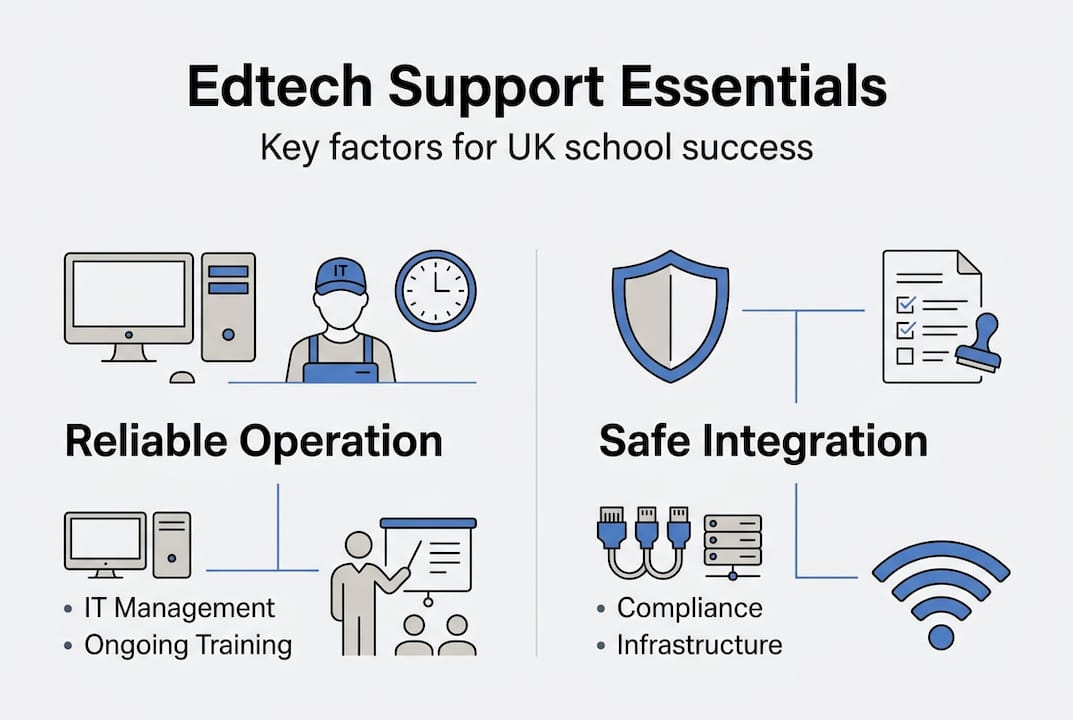
Integration failures manifest in multiple ways. Software purchased without considering existing systems creates information silos where data cannot flow between platforms, forcing duplicate entry and administrative inefficiency. Tools selected for features rather than curriculum alignment see minimal classroom adoption regardless of capability. Devices incompatible with existing peripherals or content formats require additional purchases, inflating total cost of ownership beyond initial projections.
| Infrastructure element | Impact when inadequate | Integration requirement |
|---|---|---|
| Network bandwidth | Slow loading, timeouts, inability to stream video content | Minimum 100 Mbps per 100 users for simultaneous access |
| WiFi coverage | Dead zones limiting where devices function, inconsistent connectivity | Complete building coverage with seamless roaming between access points |
| Authentication systems | Security vulnerabilities, time wasted on login issues | Single sign-on integrating with existing identity management |
| Content filtering | Safeguarding failures or over-blocking educational resources | Age-appropriate filtering aligned with KCSIE requirements |
| Device management | Inability to deploy updates, enforce policies, or track assets | Mobile device management platform compatible with all hardware |
Schools should conduct thorough infrastructure audits before major technology purchases. This assessment identifies gaps requiring remediation and ensures new investments will function effectively within existing environments. Evaluation criteria should include:
- Current network capacity and projected requirements based on planned device quantities
- Physical space and power availability for equipment storage and charging
- Compatibility between proposed devices and existing software, content, and peripherals
- Staff technical capacity to manage and maintain additional systems
- Total cost of ownership including infrastructure upgrades, ongoing support, and replacement cycles
Understanding DfE standards compliance guidance helps schools avoid integration pitfalls by ensuring new systems meet established requirements from the outset rather than requiring costly retrofitting.
Ensuring compliance and safeguarding with managed support
Legal obligations surrounding educational technology extend far beyond purchasing decisions. Schools deploying digital tools must satisfy Keeping Children Safe in Education (KCSIE) safeguarding requirements, data protection regulations under UK GDPR, cybersecurity standards protecting sensitive information, and accessibility provisions ensuring equitable access for students with special educational needs and disabilities.
Managed IT support services specialising in education understand these complex requirements and implement appropriate controls as standard practice. Support ensures compliance with KCSIE safeguarding through content filtering, activity monitoring, and incident reporting procedures that detect and respond to concerning online behaviour. Cybersecurity measures including firewalls, intrusion detection, regular vulnerability assessments, and security awareness training protect against increasingly sophisticated threats targeting educational institutions.
Accessibility compliance ensures technology benefits all students rather than creating additional barriers for vulnerable learners. This involves selecting platforms with built-in accessibility features, configuring assistive technology compatibility, providing alternative formats for digital content, and training staff to design inclusive digital learning experiences. Schools failing to address accessibility risk excluding SEND students from digital learning opportunities whilst potentially violating equality legislation.
Managed IT support typically costs between £8 and £15 per device per month, varying based on service scope, response time commitments, and included features. This predictable monthly expense often proves more cost-effective than maintaining in-house expertise across all required specialisms, particularly for smaller schools lacking economies of scale.
| Compliance category | Key requirements | Managed support solutions |
|---|---|---|
| Safeguarding | Content filtering, activity monitoring, incident reporting aligned with KCSIE | Managed filtering services, automated alerts, regular policy reviews |
| Cybersecurity | Firewall management, threat detection, patch deployment, backup systems | 24/7 monitoring, automated security updates, regular penetration testing |
| Data protection | UK GDPR compliance, secure data storage, privacy impact assessments | Encrypted storage, access controls, documentation support |
| Accessibility | WCAG 2.1 AA standards, assistive technology compatibility, inclusive design | Accessibility audits, staff training, platform selection guidance |
Schools can explore multi-academy trust compliance solutions that provide consistent standards and centralised oversight across multiple institutions, improving efficiency whilst reducing individual school burden.
Pro Tip: Request detailed compliance documentation from managed service providers during procurement, including specific controls addressing KCSIE, UK GDPR, and accessibility requirements. Vague assurances prove inadequate during inspections or incidents.
Discover managed edtech support solutions from eSchools
Transforming the challenges outlined above into opportunities requires partnering with providers who understand UK education’s unique requirements. eSchools offers tailored managed support services aligned with DfE standards, combining technical expertise with deep knowledge of school operational needs. Services span comprehensive technical support ensuring reliable daily operation, targeted staff training building confidence and capability, and compliance assurance addressing safeguarding, security, and accessibility obligations.

Case studies demonstrate measurable improvements in operational efficiency and digital communication quality when schools implement properly supported edtech ecosystems. Schools gain access to specialists across multiple domains without the expense of hiring full-time staff for each area, whilst maintaining predictable budgets through fixed monthly pricing. Explore eSchools managed edtech support to discover how customised solutions address your specific challenges, or review multi-academy trust edtech services designed for organisations managing multiple institutions. Visit school website solutions to see how integrated digital platforms enhance communication when backed by comprehensive support.
Frequently asked questions about support in edtech
What is managed edtech support, and why is it important?
Managed edtech support involves outsourcing technical infrastructure management, maintenance, and user assistance to specialist providers. This approach ensures schools access expert knowledge across cybersecurity, compliance, and technical operations without maintaining expensive in-house teams. It proves particularly valuable for smaller institutions lacking resources to hire specialists in every required domain.
How can schools train staff effectively on new technology?
Effective training connects directly to curriculum objectives through stepwise programmes starting with core features and progressing to advanced capabilities. Peer support models using departmental technology champions provide ongoing assistance, whilst just-in-time coaching addresses specific challenges as they arise. Regular refresher sessions maintain skills and introduce new features as platforms evolve.
What infrastructure should be prioritised for edtech success?
Network capacity and WiFi coverage form the foundation, requiring minimum 100 Mbps per 100 simultaneous users and complete building coverage. Authentication systems enabling single sign-on reduce login friction, whilst content filtering meeting KCSIE requirements ensures safeguarding compliance. Device management platforms allowing centralised policy enforcement and update deployment prove essential for maintaining security and consistency across multiple devices.
How does support help with safeguarding and accessibility compliance?
Managed support implements content filtering, activity monitoring, and incident reporting procedures satisfying KCSIE requirements whilst configuring accessibility features ensuring SEND students benefit equitably. Providers maintain current knowledge of evolving regulations, conduct regular compliance audits, and document controls satisfying inspection requirements. This specialist expertise proves difficult for individual schools to replicate internally.
Are there cost-effective support options suitable for different sized schools?
Managed support services typically charge £8 to £15 per device monthly, with pricing varying based on service scope and response commitments. This model suits schools of all sizes, as smaller institutions gain access to enterprise-grade expertise whilst larger organisations benefit from economies of scale. Multi-academy trusts can negotiate consolidated contracts covering all member schools, further improving cost efficiency. Explore parent communication apps demonstrating how integrated platforms reduce total support requirements through unified systems.